SnipFor Capture
Capture any screen area, annotate it and extract text locally with offline OCR.
Ultra-fast screen capture and OCR tool built for anyone who wants to work quickly, privately, and effortlessly. 100% offline. Your data never leaves your PC.
As reviewed on
See SnipFor in action. Explore the tools designed to supercharge your screen documentation workflow.
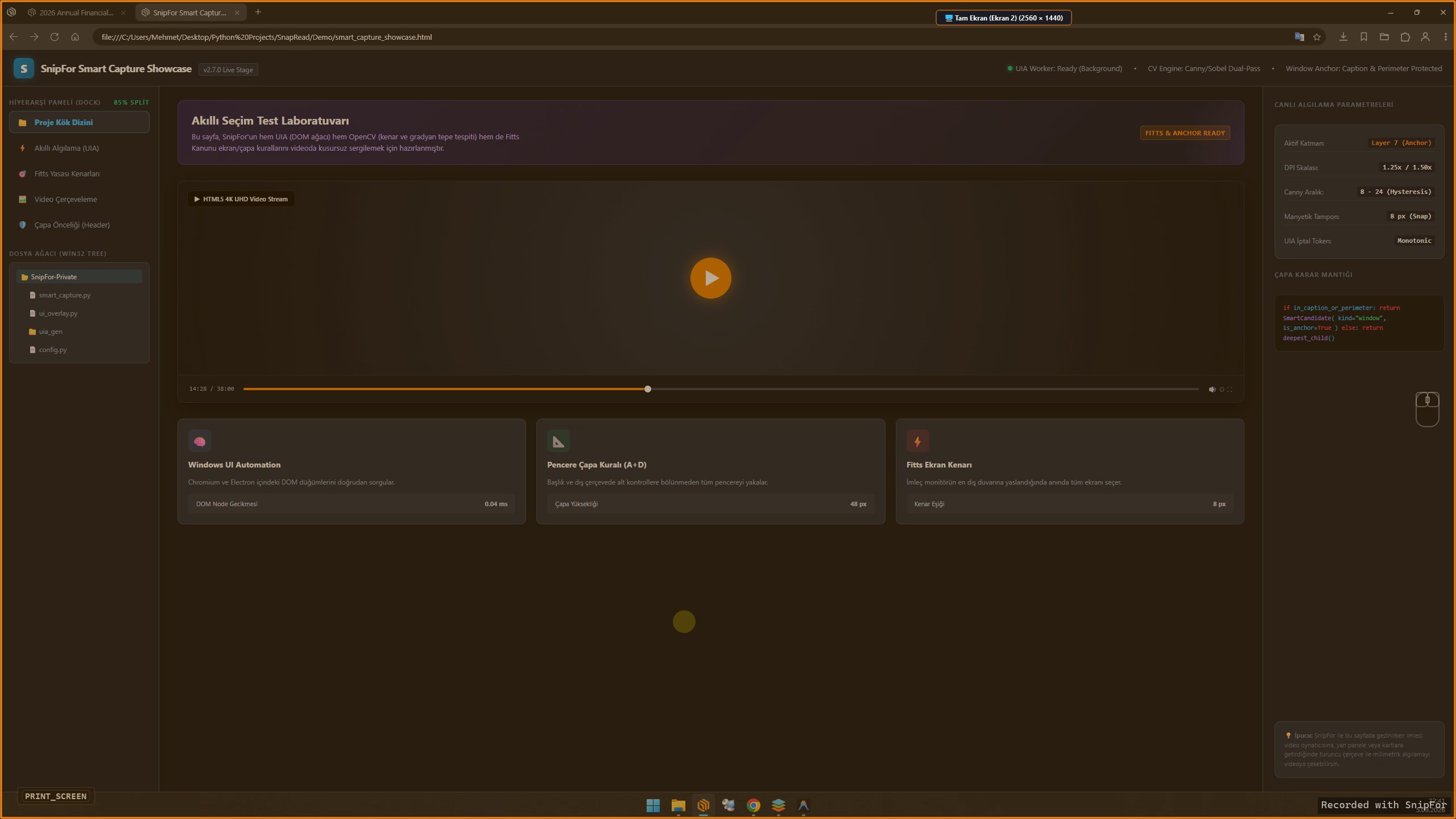
Point at any window, inner panel, YouTube video frame, or screen edge. SnipFor's computer-vision engine detects exact boundaries in microseconds.
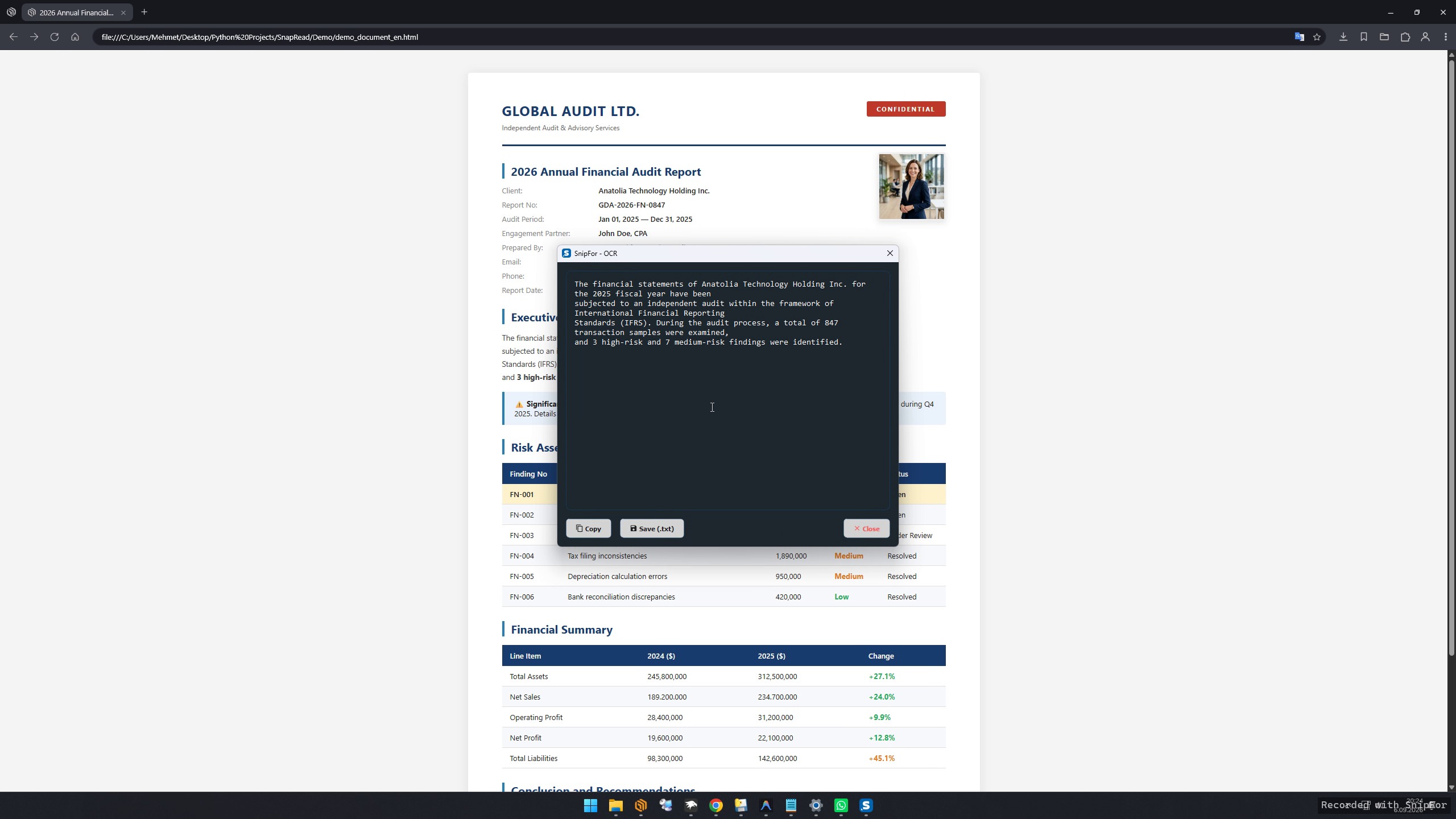
Grab unselectable text from protected PDFs, video stills, scanned invoices, or system dialogs with the embedded local Tesseract OCR engine.
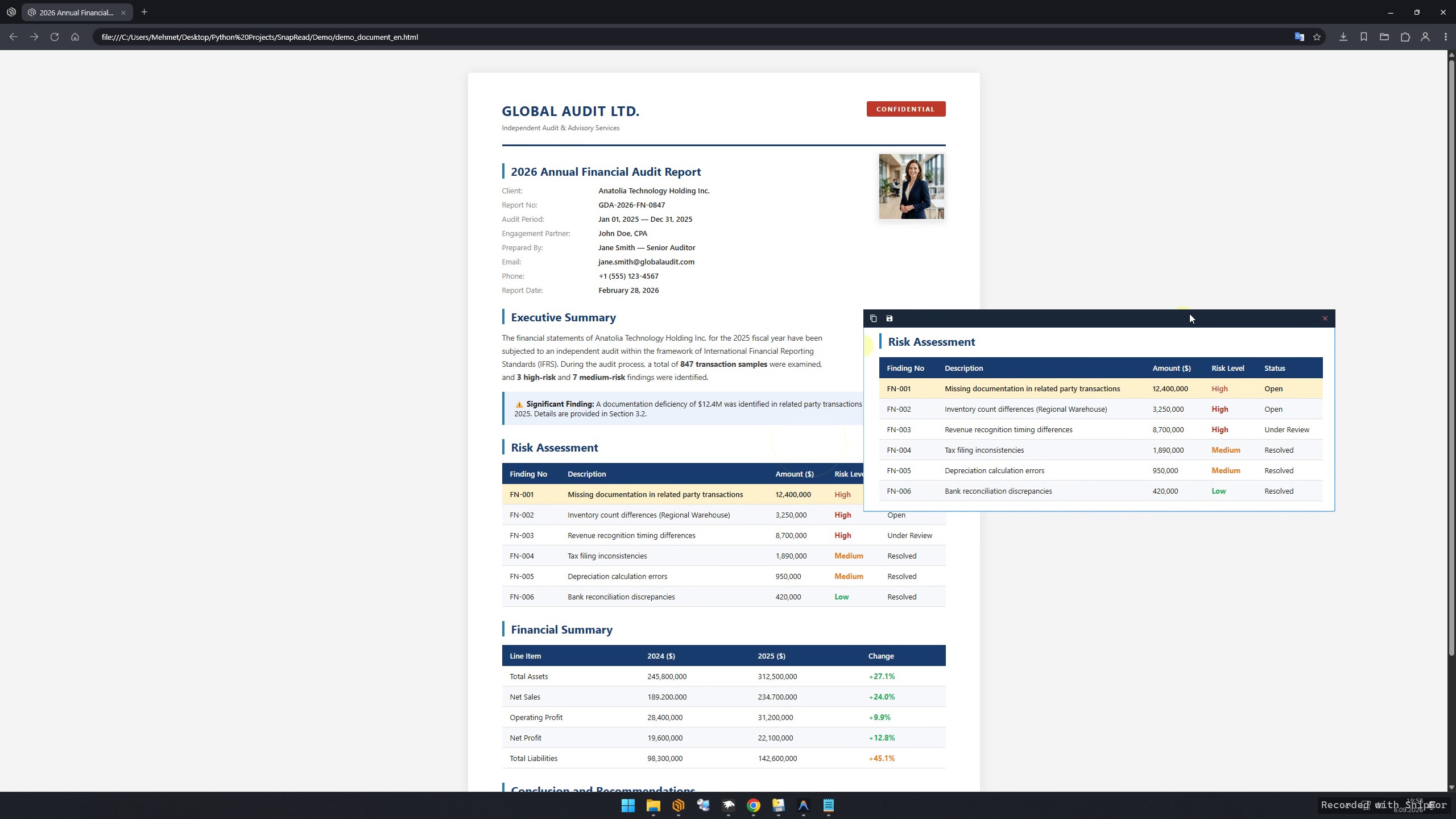
Stop Alt-Tabbing! Pin any captured screenshot as a floating, borderless always-on-top window directly on your desktop while coding, designing, or entering data.
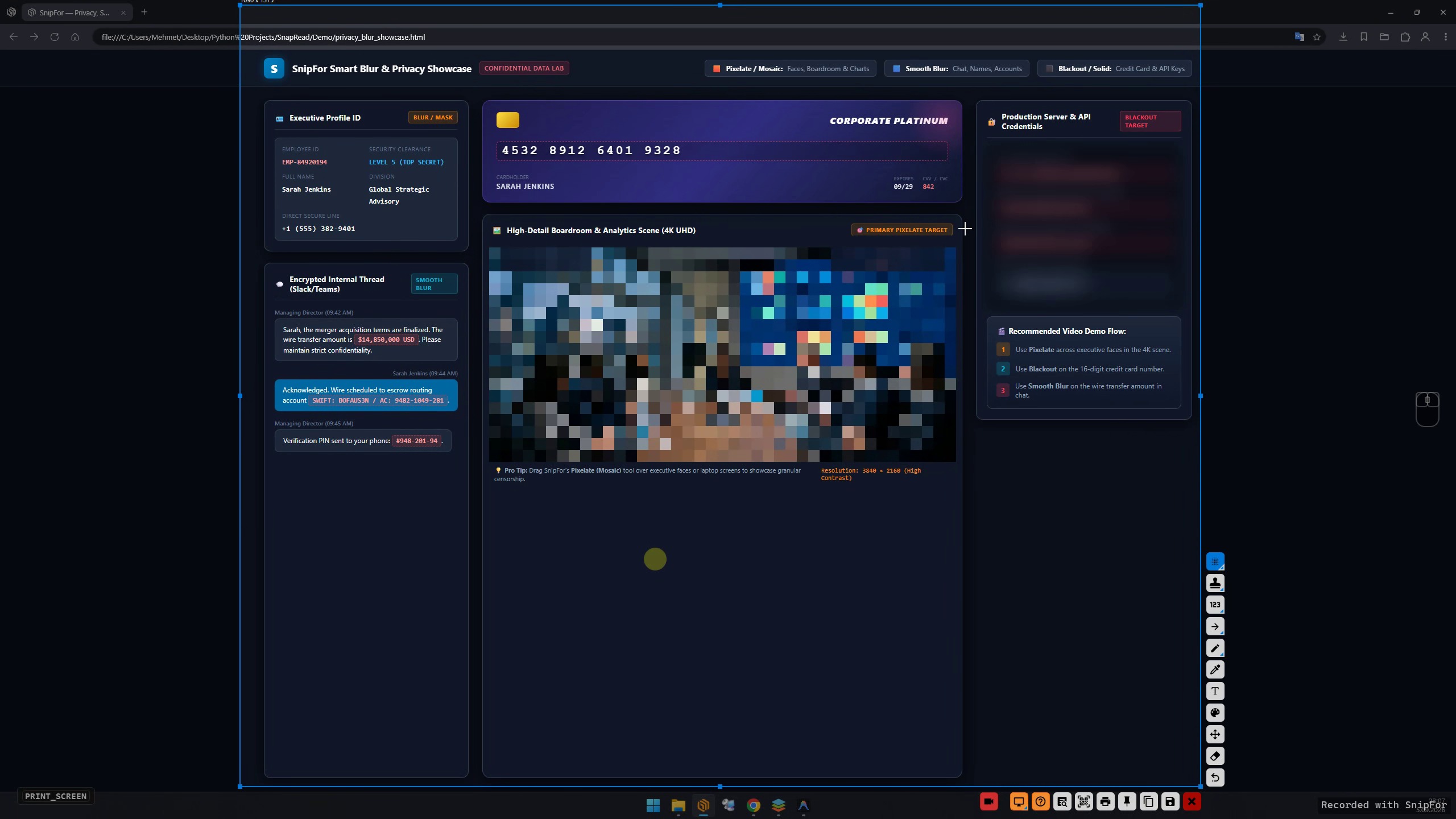
Safely share documentation and bug reports. Obfuscate confidential credentials, passwords, personal data, and API keys with Gaussian blur or pixelated mosaic.
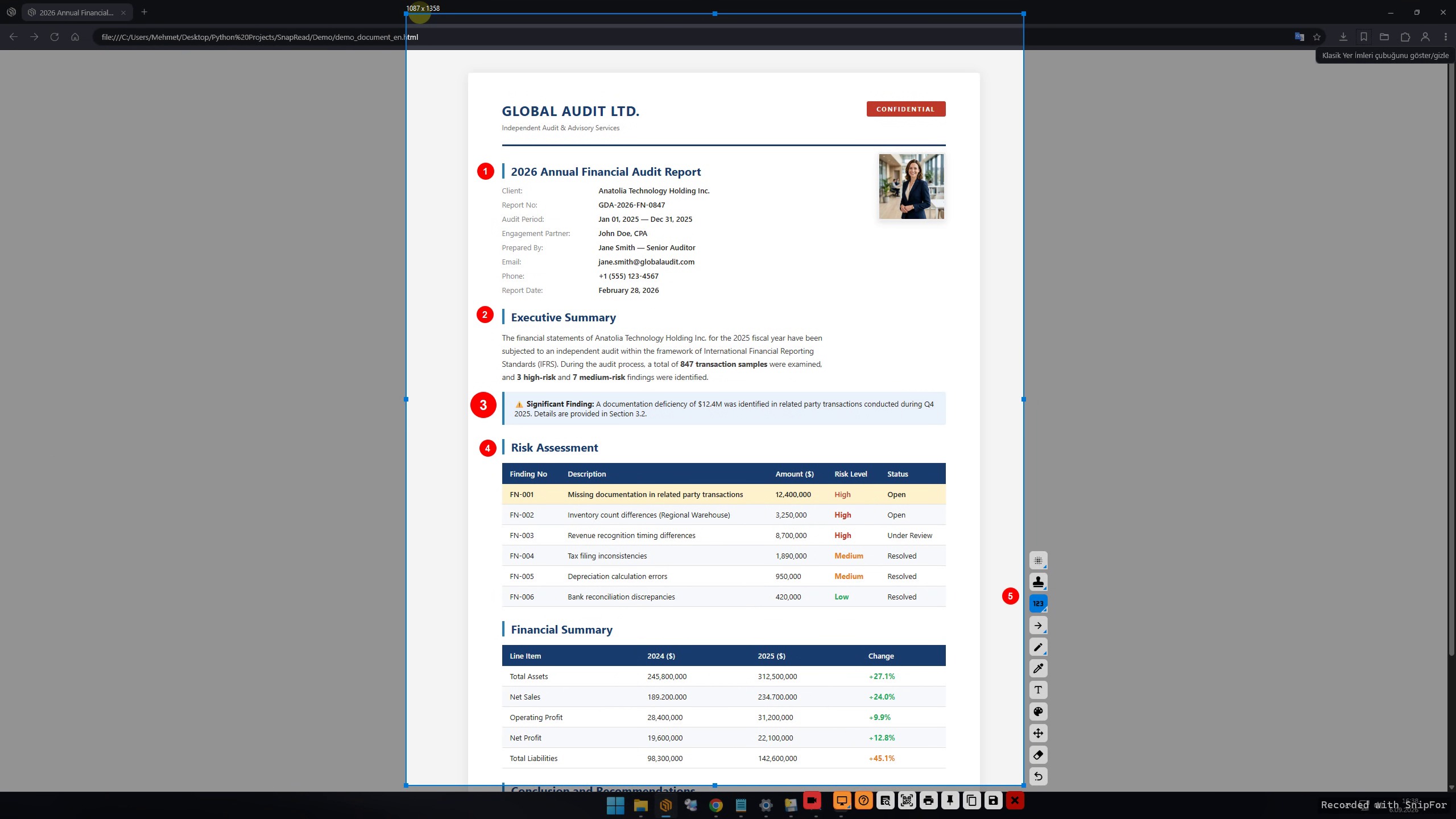
Create clean step-by-step guides in seconds. Click to drop auto-incrementing numbered badges (1, 2, 3...) and professional status stamps.
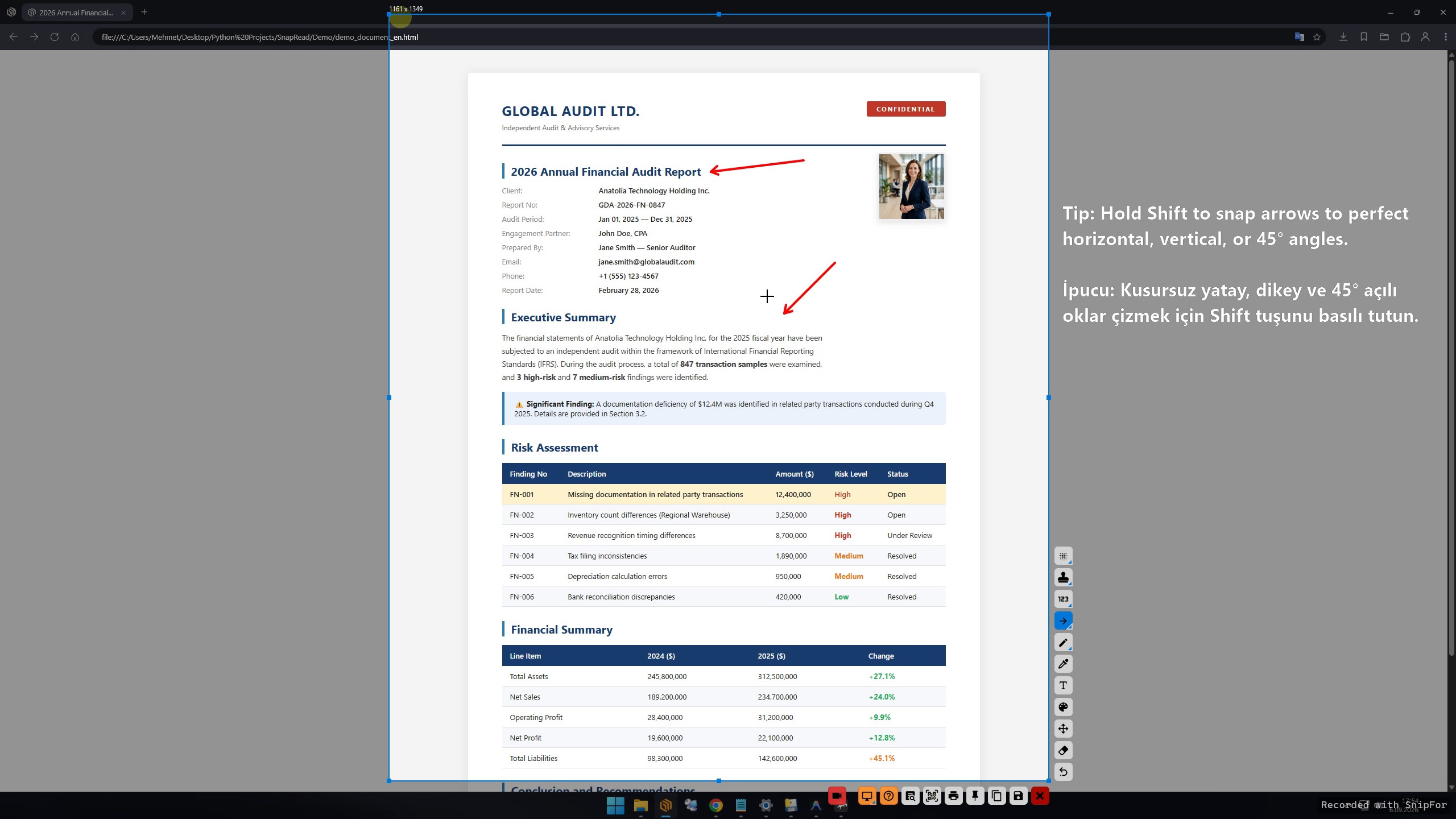
Annotate with precision. Draw self-aligning arrows, perfect geometric shapes, freehand pen lines, and smooth translucent highlights.
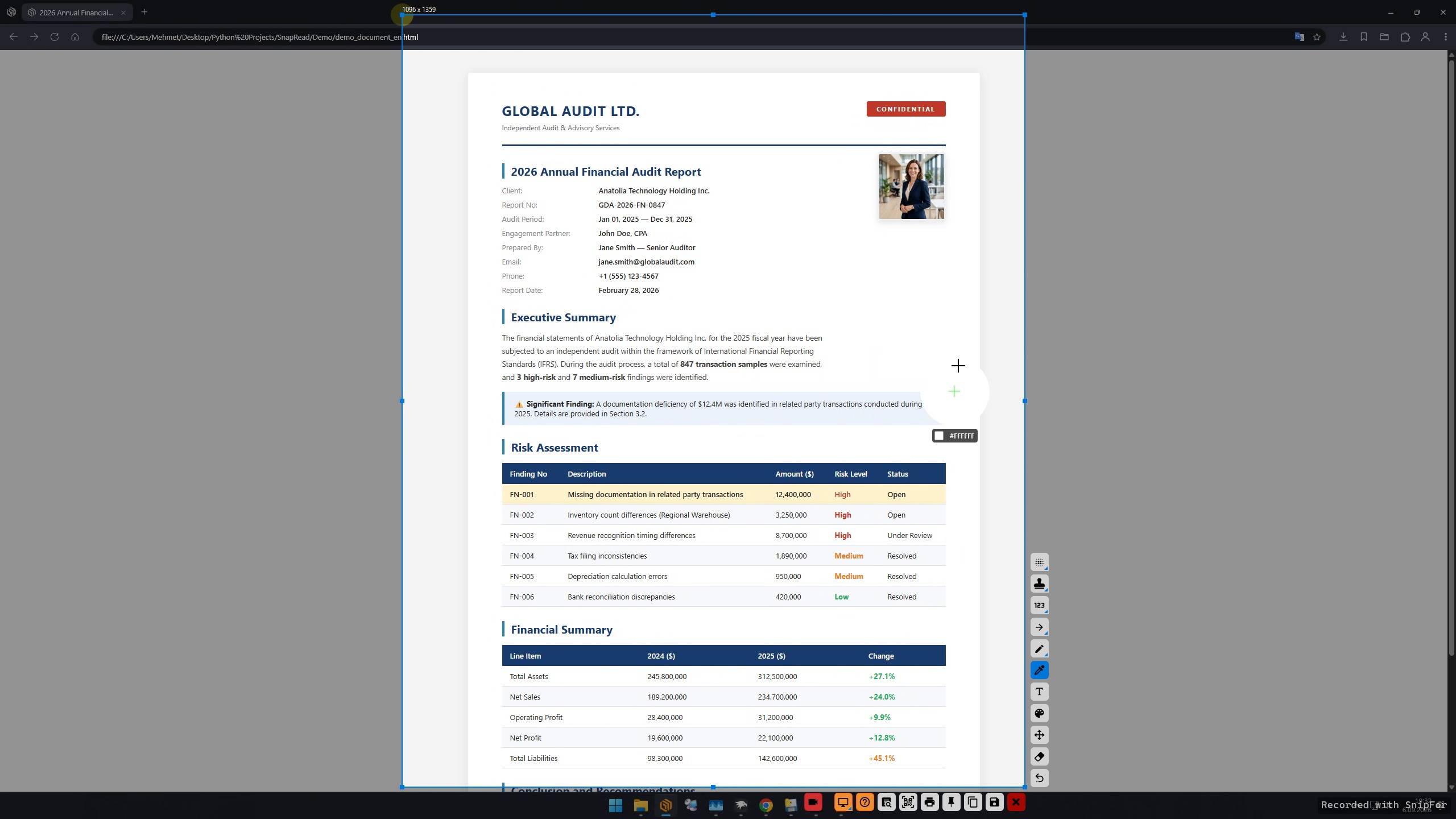
Inspect colors with pinpoint accuracy. The built-in loupe magnifier zooms in on individual pixels to display live HEX (#) and RGB values.
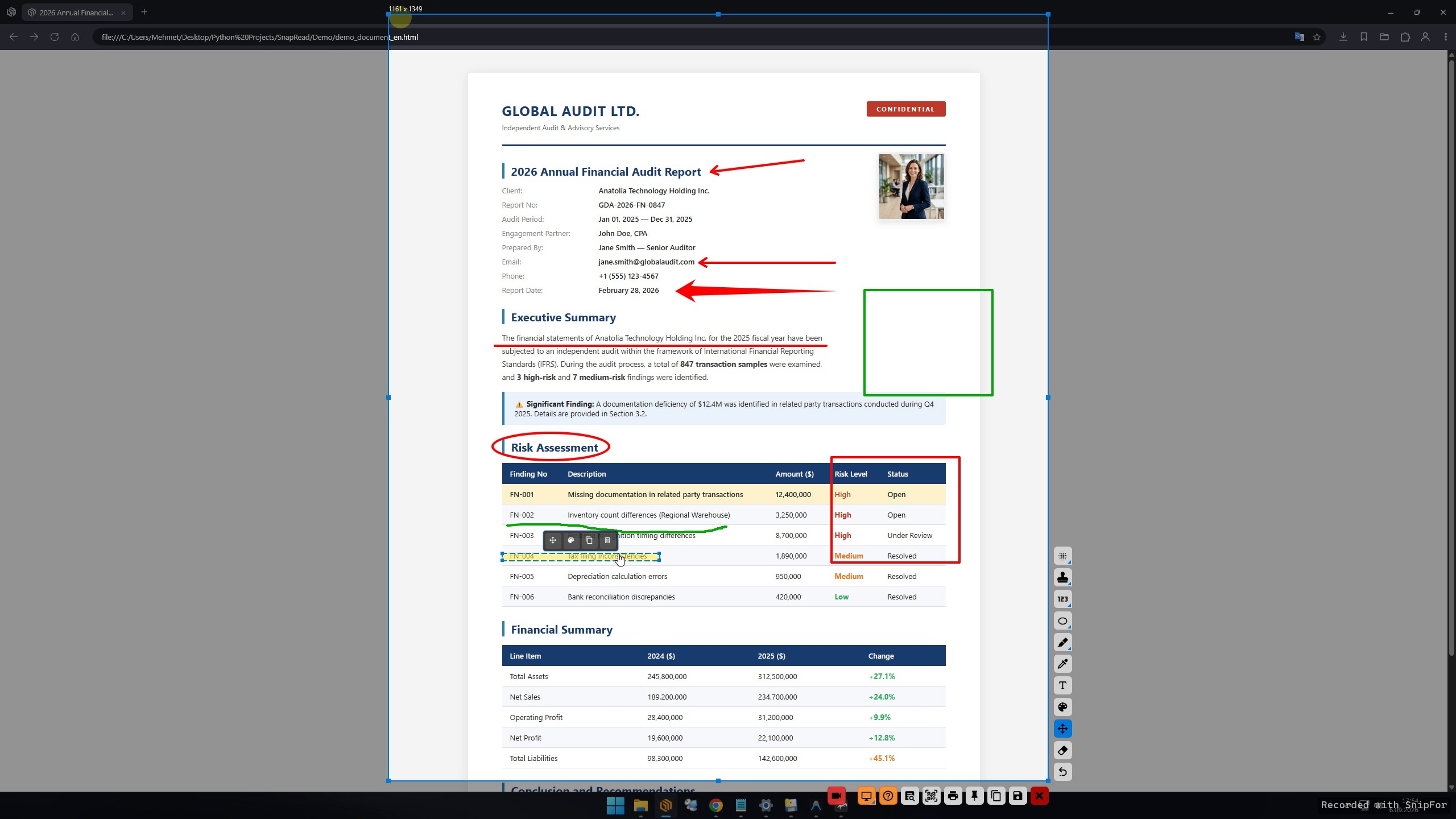
Add rich callout typography directly onto your screenshots. Custom font sizes, colors, and live in-place editing.
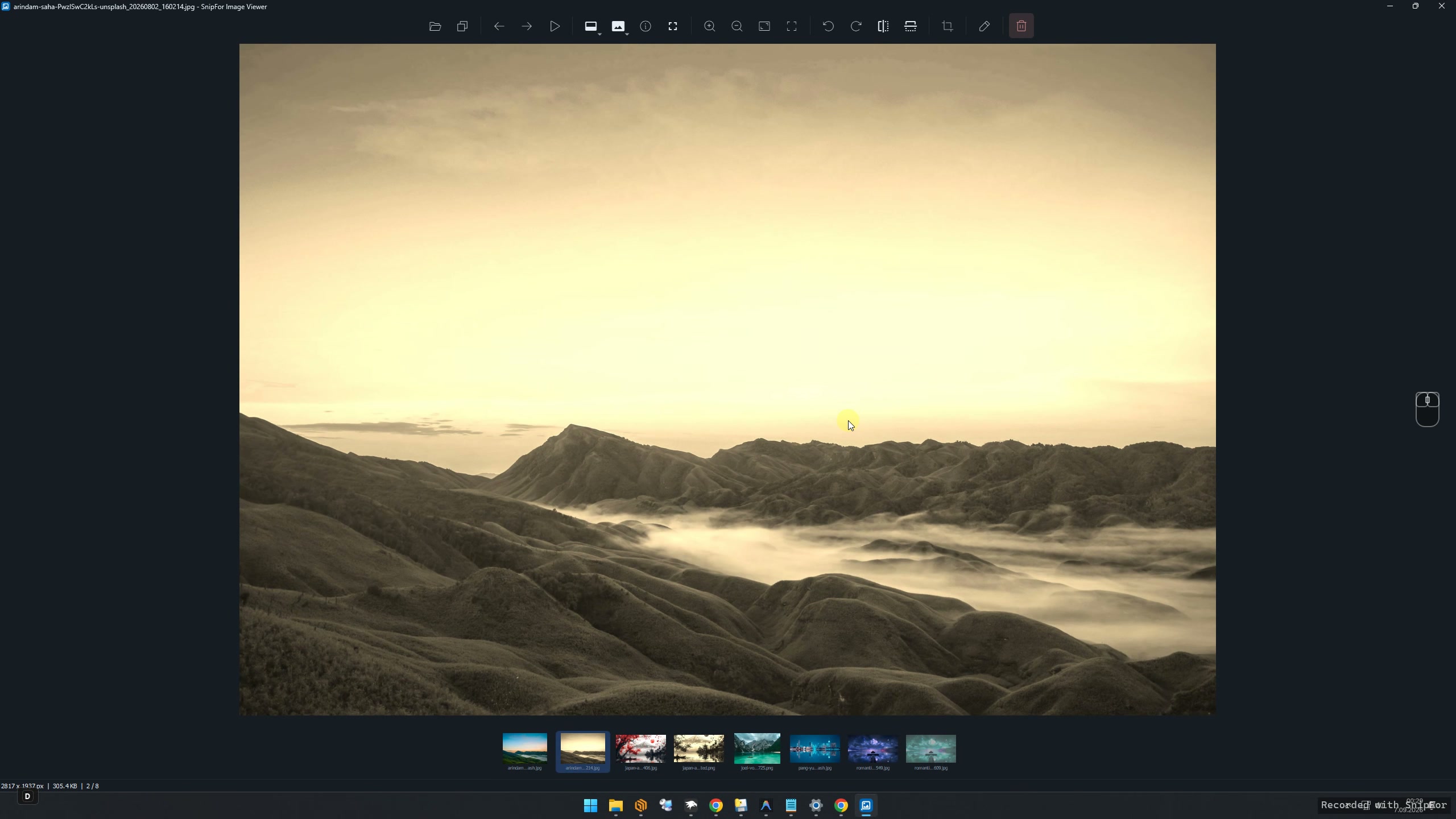
Open high-resolution images instantly without delays or splash screens. Browse your entire folder effortlessly via the bottom thumbnail strip and navigate with smooth edge arrows.
Capture, view, edit, convert and govern your visual workflow with one privacy-first desktop toolkit.
Capture any screen area, annotate it and extract text locally with offline OCR.
A fast, sleek alternative to Windows Photos; browse folder thumbnails instantly, zoom losslessly and navigate effortlessly.
Record screen videos and GIFs, then trim, compress and prepare them for sharing.
Crop, resize, adjust and refine images with a dedicated editor when capture is only the first step.
Convert video, audio, images and PDFs across the formats your team already uses.
Apply corporate watermarks, IT policies and silent MSI deployment for governed environments.
Every part of SnipFor is designed to keep your workflow fast and your data on your machine.
Recognition happens locally via embedded Tesseract. No cloud uploads, no API dependency, zero data leaks. Supports English, Turkish, German, French, Italian, and Spanish.
Optimized Python/Qt architecture. Launches in seconds. Minimal RAM footprint, no bloating.
Smart blur, mosaic, auto-increment stamps, and pinning tools to speed up your documentation.
Start free with Community, add video & conversion tools with Pro, or move to Audit for organization-wide deployment and control.
| Feature | Community Edition | Pro Edition | Audit Edition (Enterprise) |
|---|---|---|---|
| Capture & Edit Tools | |||
| Lightning Fast Image Viewer | |||
| Smart Window Snapping | |||
| 100% Offline OCR | |||
| Screen Pinning (Always on Top) | |||
| Color Picker & Magnifier | |||
| Privacy Blur & Mosaic | |||
| Step Numbering & Icon Stamps | |||
| Zero Data Leak (No Cloud) | |||
| Screen Video & GIF Recording | |||
| Video Trimmer & Focus Zoom | |||
| Universal Media & PDF Converter | |||
| Corporate Watermark Enforcement | |||
| Registry-Locked IT Policies | |||
| Silent MSI Enterprise Deployment | |||
| Price / Availability | Free | Demo / Inquire | Custom (Enterprise) |
To try Pro and Audit editions, request a demo, or inquire about enterprise licenses, contact us.
Request Demo / Contact: mehmet@nevresoglu.net